Quick Start
From download to your first match in just a few steps.
Installing the Software
Warning
If you are in mainland China or cannot access the following page, please use a proxy!
- Open the download page and pick the archive for your operating system:
- Windows (64-bit):
windows_amd64 - macOS (Apple Silicon / M-series):
macOS_arm64 - macOS (Intel):
macOS_amd64 - Linux (x86_64):
linux_amd64 - Linux (arm64):
linux_arm64
- Windows (64-bit):
- After downloading, extract the archive and run the application; once running, the Archer window will open automatically and display the interface.
Starting the Software
The startup method may vary based on your operating system.
- Windows: Double-click
archer.exeto run it.- To keep the log open, open the terminal, navigate to the extracted directory, and enter
start /K archer.exe.
- To keep the log open, open the terminal, navigate to the extracted directory, and enter
- Linux: Open the terminal, navigate to the extracted directory, and enter
./archerto run the program. - macOS: Open the terminal, navigate to the extracted directory, and enter
./archerto run the program.
Getting Started
- In the Archer window that opens, click 【Account Information】 on the left side.
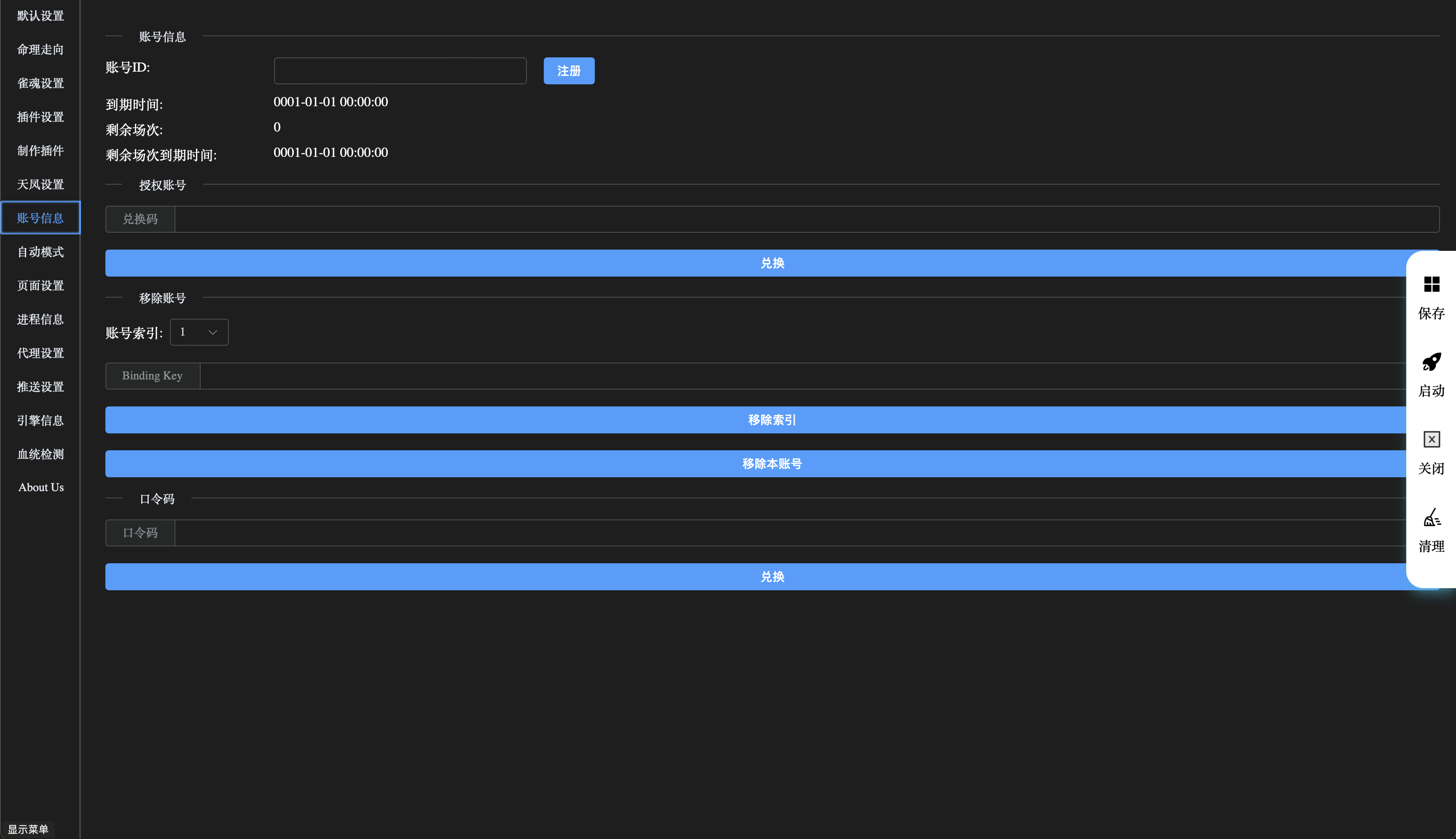
- Click the 【Register】 button.
- If you've already registered, just enter your existing ID and click 【Save】 on the right.
- Click the 【Save】 button.
- Click the 【🚀】 button to log in.
- After logging in successfully, a game window will pop up. Log into your game account in this window.
- Once the game login is complete, go to the 【Account Information】 page in the Archer window and enter the 【Redemption Code】, then click the 【Redeem】 button.
- After completing these steps, you can start a match.